
CNC Retrofitting Kit for Milling Machine Manufacturer,Supplier and Exporter in India

Product Code : EL-CTM-9028
Jlab Export is a leading CNC Retrofitting Kit for Milling Machine Manufacturer,and suppliers in India
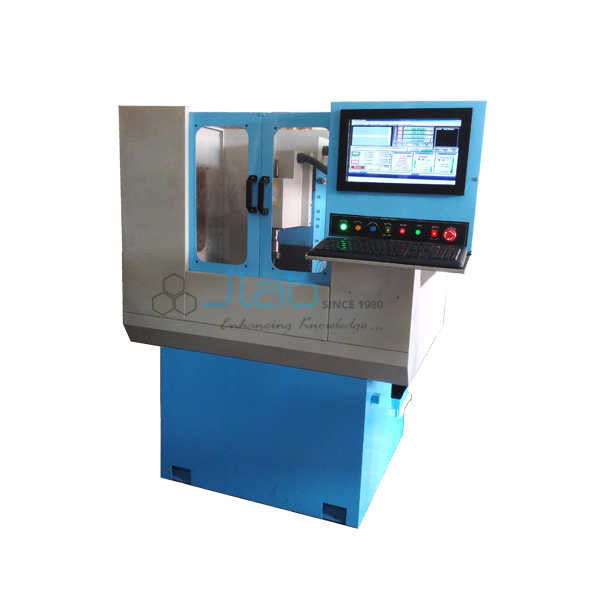
This retrofitting kit is built round a 3/2 axis CNC controller that turns a manual milling machine into a programmable one. The controller is Ethernet-based and handles spindle speed and several relays. It accepts a manual pulse generator and works with open-loop, closed-loop or double closed-loop axes.
Specifications
| Controller | 3/2 axis CNC controller for milling machines |
| Connection | High-speed, Ethernet-based |
| Machine control | Spindle speed control, multiple relay control, manual pulse generator input |
| Axis control loop | Open loop, closed loop or double closed loop |
| Programming | Visual G-code display, G-code generated by a CAM import tool or wizards |
| File import | DXF, BMP, JPG and HPGL |
| Custom functions | M-codes and macros by script |
| Interface | Fully customisable, touchscreen capable, full screen, video display of the machine |
| Minimum order quantity | 1 unit |
| Dispatch time | Usually 14–18 working days |
| Manufacturer | JLab (Jain Laboratory Instruments Pvt Ltd), Ambala, India |
Retrofit Projects and Lab Exercises
Fitting the kit to an old manual mill is a strong final-year or ITI project in its own right. Students wire the controller to the axis drives and set up the relays for the spindle and coolant. They then test each axis with the pulse generator before any program runs. Every connection is checked first with a Digital Multimeter for continuity and supply voltage. Backlash in each lead screw is then measured with a Dial Gauge on the table and recorded.
Once the machine moves under control, the software side takes over. Students import a DXF drawing, let the wizard or CAM import tool produce the G-code, and follow the path in the G-code display before cutting. Teachers can then add a custom M-code macro, for example one that switches a relay output, and show the class how the controller runs it.
Frequently Asked Questions
What do open loop and closed loop mean here?
In open loop the controller sends moves with no position feedback, as with most stepper drives. Closed loop adds feedback, usually from a motor encoder. Double closed loop adds a second feedback, such as a scale on the table, so the axis position is checked twice.
Which file types can be turned into a program?
DXF drawings, BMP and JPG images and HPGL plot files can be imported directly. The CAM import tool or the wizards then generate the G-code, which appears in the visual G-code display before the machine runs.
What is the manual pulse generator used for?
It is a handwheel that sends pulses to the controller, so an axis can be jogged in small, set steps. Students use it to touch off the work, set offsets and move the table slowly near the cutter.
Can the screen layout be changed?
Yes. The interface is fully customisable, works with a touchscreen and can run full screen, and a video window can show the machine while it cuts. M-codes and macros can also be customised by script.
Other Retrofit Kits and CNC Controllers
- CNC Retrofit Kit for Conventional Universal Milling Machine
- CNC Milling Controller
- CNC Lathe Controller
- Stepper Motor Controller Trainer
For a quote, use Add To Cart or send us a message through the contact page.
Last updated: 6 November 2026